Data Modeling
Every table in Revisium is defined by a JSON Schema. You design the schema — the platform enforces it on every write, generates APIs from it, and transforms data automatically when the schema changes.
Define a Table
A table has a name, a schema (structure), and rows (data). Here's a products table:
- Data
- Schema
{
  "title": "iPhone 16 Pro",
  "price": 999,
  "inStock": true,
  "description": "Latest flagship smartphone"
}
{
  "type": "object",
  "properties": {
    "title": { "type": "string", "default": "" },
    "price": { "type": "number", "default": 0 },
    "inStock": { "type": "boolean", "default": false },
    "description": { "type": "string", "default": "" }
  },
  "required": ["title", "price", "inStock", "description"],
  "additionalProperties": false
}
The schema defines what fields exist, their types, and default values. Any data that doesn't match the schema is rejected.
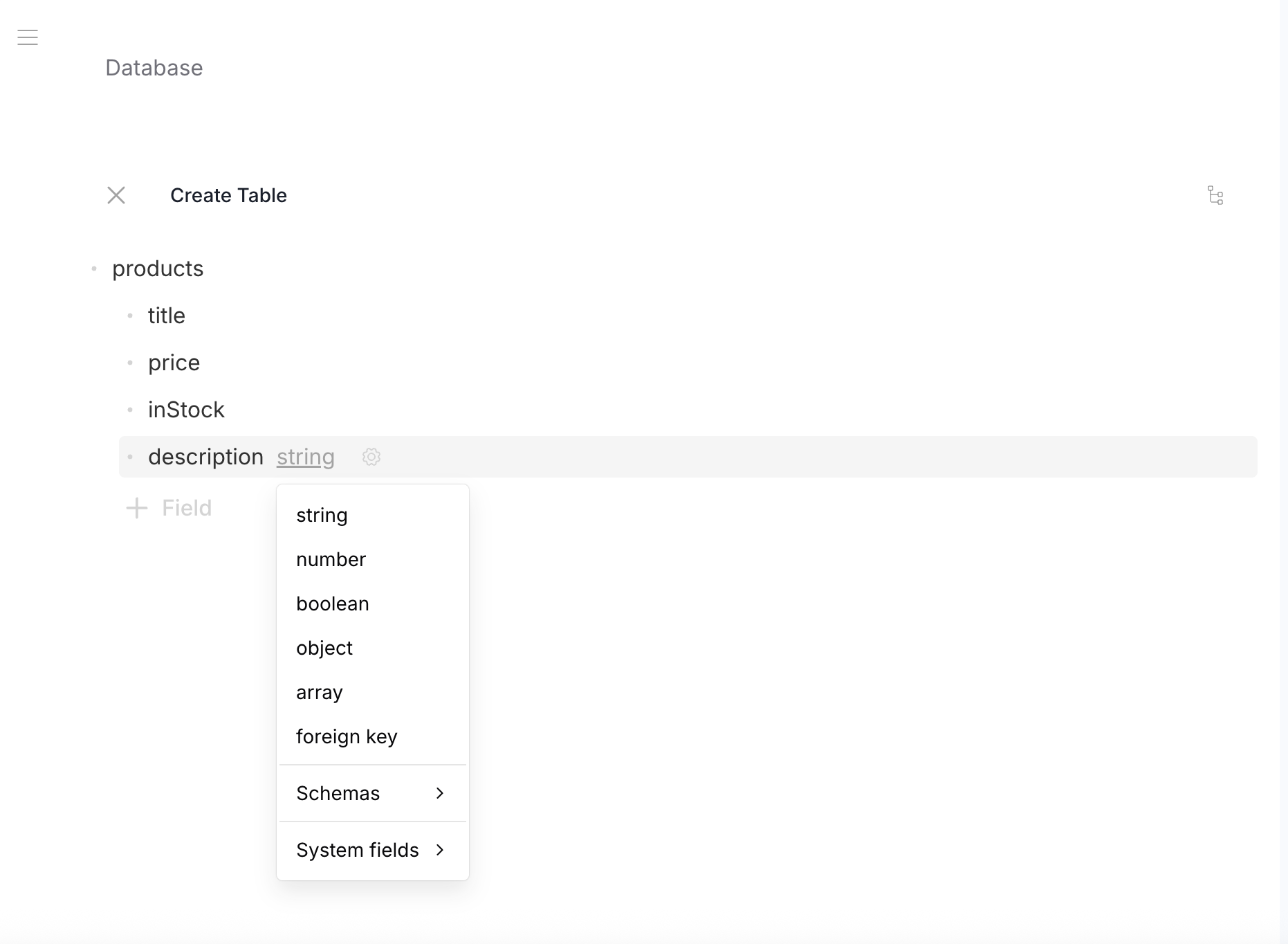
Field Types
String
Text values. The most common field type.
- Data
- Schema
{ "title": "iPhone 16 Pro" }
{
  "type": "object",
  "properties": {
    "title": { "type": "string", "default": "" }
  },
  "required": ["title"]
}
Strings support optional formats for rendering and validation:
| Format | Declaration | Usage |
|---|---|---|
| Plain text | { "type": "string" } | Names, IDs, short text |
| Markdown | { "type": "string", "contentMediaType": "text/markdown" } | Rich content, articles |
| HTML | { "type": "string", "contentMediaType": "text/html" } | Raw HTML content |
| Date-time | { "type": "string", "format": "date-time" } | ISO 8601 timestamps |
{ "type": "string", "format": "email" } | Email addresses |
Number
Integer or decimal values.
- Data
- Schema
{ "price": 999 }
{
  "type": "object",
  "properties": {
    "price": { "type": "number", "default": 0 }
  },
  "required": ["price"]
}
Boolean
True/false values.
- Data
- Schema
{ "inStock": true }
{
  "type": "object",
  "properties": {
    "inStock": { "type": "boolean", "default": false }
  },
  "required": ["inStock"]
}
Object
Nested structure with its own fields. Objects can be nested to any depth.
- Data
- Schema
{
  "weight": 199,
  "color": "Desert Titanium"
}
{
  "type": "object",
  "properties": {
    "weight": { "type": "number", "default": 0 },
    "color": { "type": "string", "default": "" }
  },
  "required": ["weight", "color"]
}
Array
Lists of values. Items can be any type — strings, numbers, objects, or even files.
Array of strings:
- Data
- Schema
["5G", "USB-C", "ProMotion"]
{
  "type": "array",
  "items": { "type": "string", "default": "" }
}
Array of objects:
- Data
- Schema
[
  { "color": "Desert Titanium", "storage": 256 },
  { "color": "Black Titanium", "storage": 512 }
]
{
  "type": "array",
  "items": {
    "type": "object",
    "properties": {
      "color": { "type": "string", "default": "" },
      "storage": { "type": "number", "default": 0 }
    },
    "required": ["color", "storage"]
  }
}
Nested arrays — objects inside arrays can contain their own arrays:
- Data
- Schema
[
  { "product": "iphone-16", "quantity": 2, "addons": ["case", "charger"] },
  { "product": "macbook-m4", "quantity": 1, "addons": [] }
]
{
  "type": "array",
  "items": {
    "type": "object",
    "properties": {
      "product": { "type": "string", "default": "" },
      "quantity": { "type": "number", "default": 0 },
      "addons": {
        "type": "array",
        "items": { "type": "string", "default": "" }
      }
    },
    "required": ["product", "quantity", "addons"]
  }
}
Multidimensional arrays — arrays of arrays:
- Data
- Schema
[
  [1, 2, 3],
  [4, 5, 6],
  [7, 8, 9]
]
{
  "type": "array",
  "items": {
    "type": "array",
    "items": { "type": "number", "default": 0 }
  }
}
Full Example
A complete table schema with nested objects and arrays:
- Data
- Schema
{
  "title": "iPhone 16 Pro",
  "price": 999,
  "inStock": true,
  "specs": {
    "weight": 199,
    "tags": ["5G", "USB-C", "ProMotion"]
  },
  "variants": [
    { "color": "Desert Titanium", "storage": 256 },
    { "color": "Black Titanium", "storage": 512 }
  ]
}
{
  "type": "object",
  "properties": {
    "title": { "type": "string", "default": "" },
    "price": { "type": "number", "default": 0 },
    "inStock": { "type": "boolean", "default": false },
    "specs": {
      "type": "object",
      "properties": {
        "weight": { "type": "number", "default": 0 },
        "tags": {
          "type": "array",
          "items": { "type": "string", "default": "" }
        }
      },
      "required": ["weight", "tags"]
    },
    "variants": {
      "type": "array",
      "items": {
        "type": "object",
        "properties": {
          "color": { "type": "string", "default": "" },
          "storage": { "type": "number", "default": 0 }
        },
        "required": ["color", "storage"]
      }
    }
  },
  "required": ["title", "price", "inStock", "specs", "variants"],
  "additionalProperties": false
}
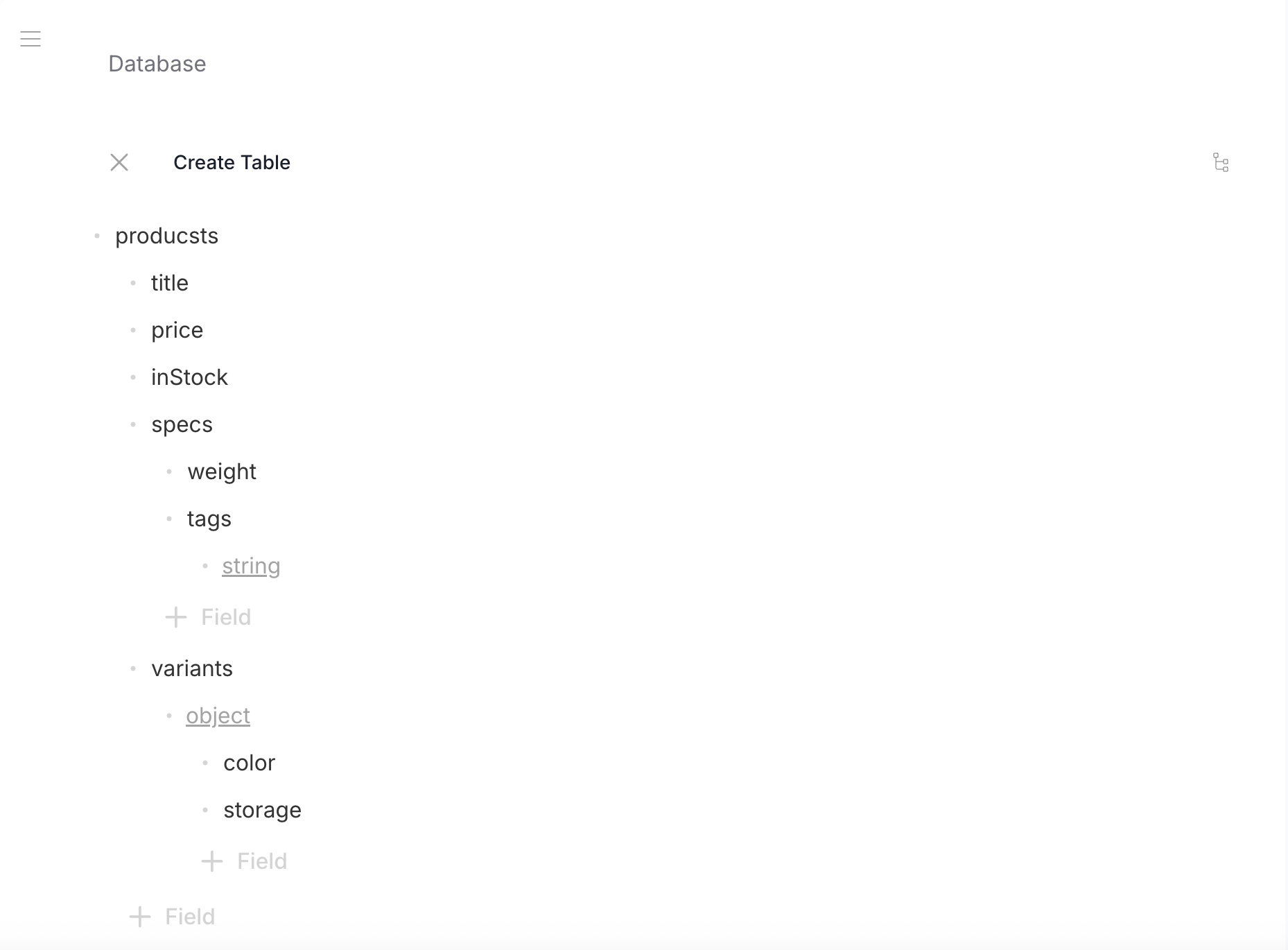
Default Values
Primitive fields (string, number, boolean) must have a default value. Defaults serve two purposes:
- New rows start with valid data — no null fields
- Schema evolution — when you add a field to an existing table, all existing rows get the default value automatically
{ "type": "string", "default": "" }
{ "type": "number", "default": 0 }
{ "type": "boolean", "default": false }
Object and array fields don't require a default — they are initialized from their structure.
See Schema Evolution for more on how data transforms when schemas change.
Root Types
Most tables use type: "object" as the root — a record with named fields. But a row can also be:
Root array — e.g., a pricing table:
- Data
- Schema
[
  { "from": 0, "to": 100, "pricePerUnit": 10.00 },
  { "from": 101, "to": 500, "pricePerUnit": 8.50 },
  { "from": 501, "to": 999999, "pricePerUnit": 6.00 }
]
{
  "type": "array",
  "items": {
    "type": "object",
    "properties": {
      "from": { "type": "number", "default": 0 },
      "to": { "type": "number", "default": 0 },
      "pricePerUnit": { "type": "number", "default": 0 }
    },
    "required": ["from", "to", "pricePerUnit"]
  }
}
Root primitive — e.g., a feature flag:
- Data
- Schema
true
{ "type": "boolean", "default": false }
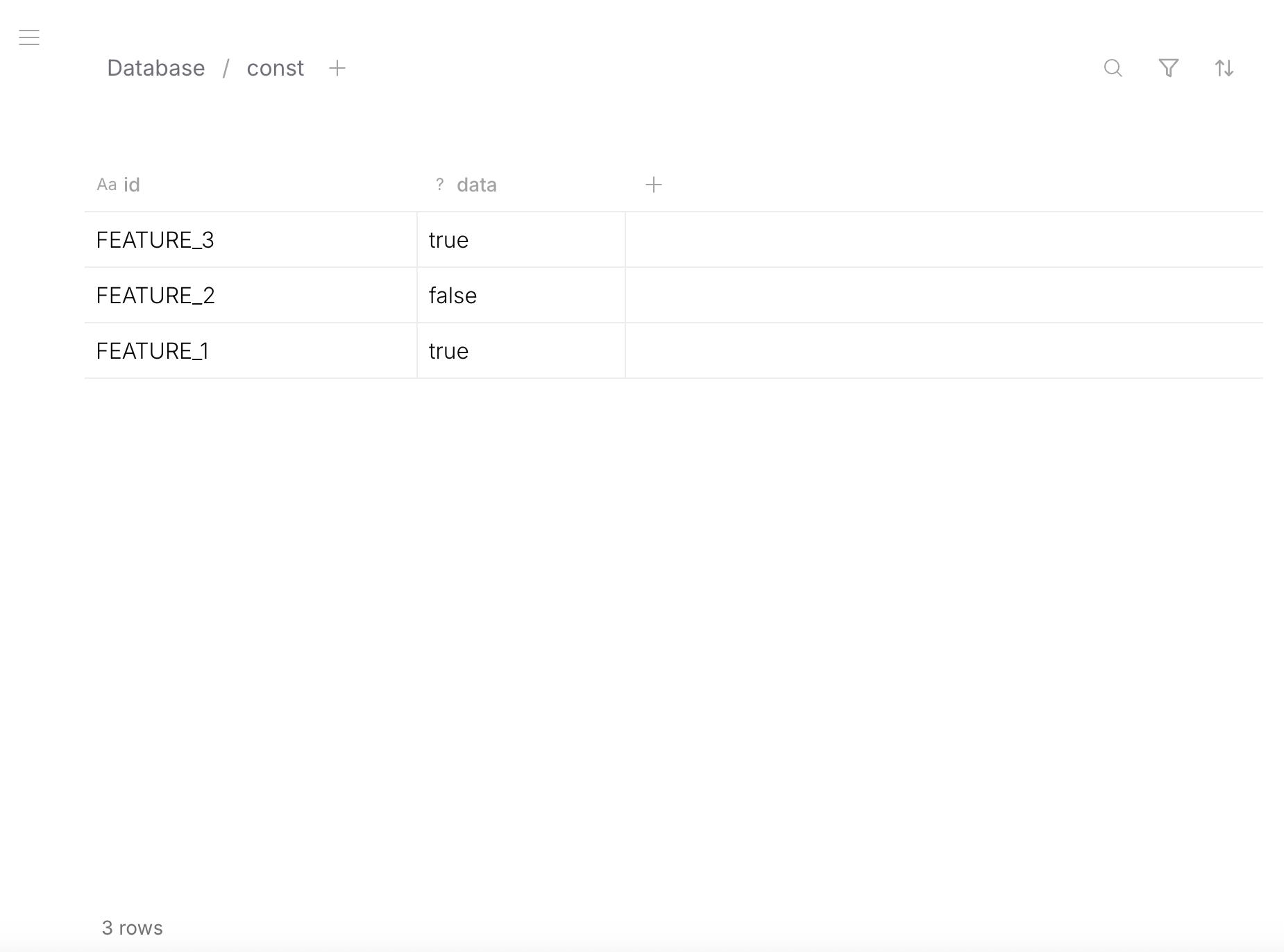
System Fields
System fields (id, createdAt, updatedAt, etc.) are stored at the database level, outside your JSON data. APIs return system fields alongside your data automatically — you don't need to add them to the schema.
You can optionally inject system fields into your JSON data via $ref if you want them inside the row body — at any nesting level and with any field name. This is purely for convenience; the platform doesn't force system fields into your schema.
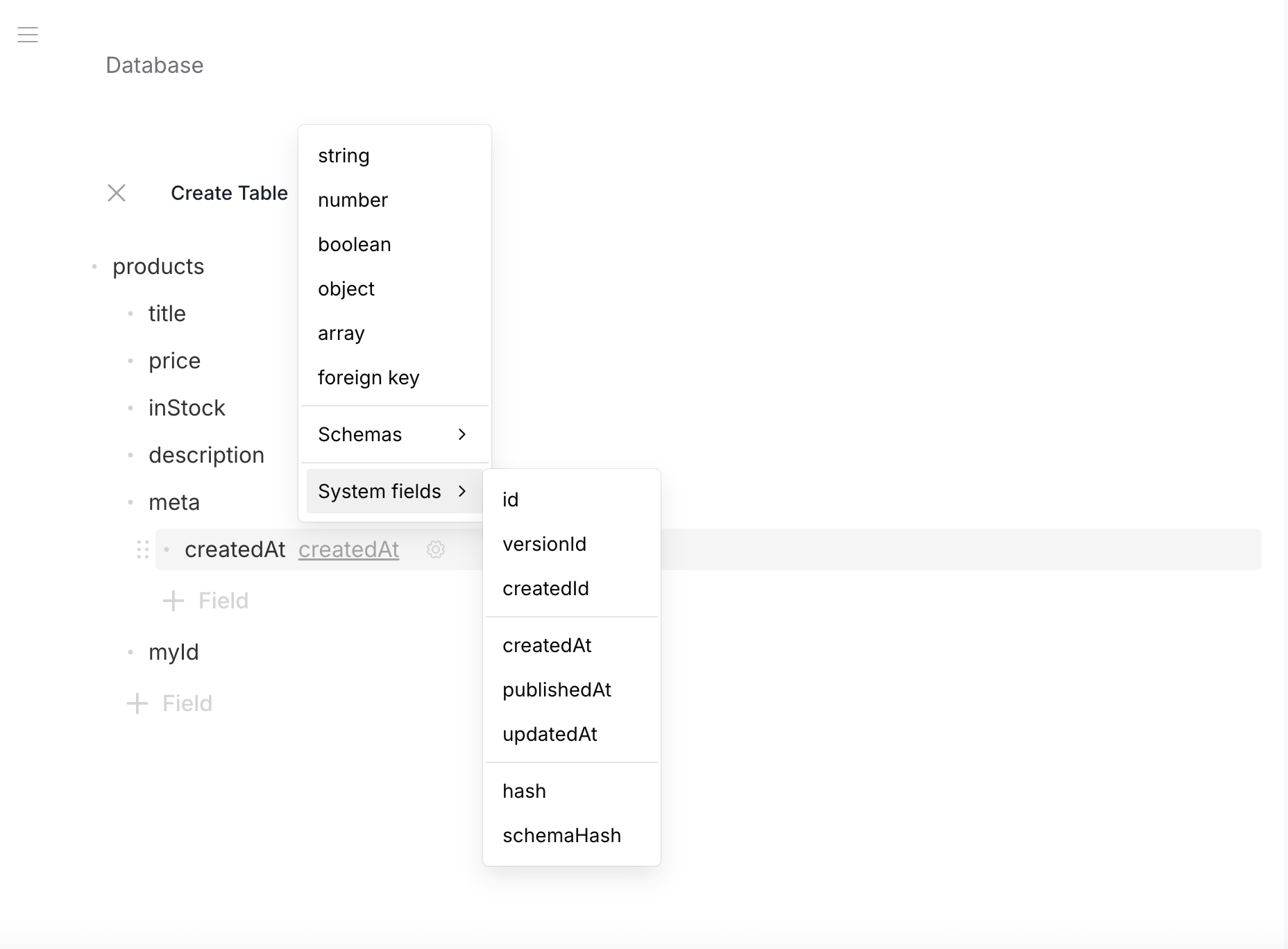
- Data
- Schema
{
  "myId": "iphone-16",
  "createdAt": "2026-03-15T10:30:00Z",
  "title": "iPhone 16 Pro",
  "meta": {
    "created": "2026-03-15T10:30:00Z"
  }
}
myId, createdAt, and meta.created are populated automatically by the platform.
{
  "type": "object",
  "properties": {
    "myId": { "$ref": "urn:jsonschema:io:revisium:row-id-schema:1.0.0" },
    "createdAt": { "$ref": "urn:jsonschema:io:revisium:row-created-at-schema:1.0.0" },
    "title": { "type": "string", "default": "" },
    "meta": {
      "type": "object",
      "properties": {
        "created": { "$ref": "urn:jsonschema:io:revisium:row-created-at-schema:1.0.0" }
      },
      "required": ["created"]
    }
  },
  "required": ["myId", "createdAt", "title", "meta"],
  "additionalProperties": false
}
Available system refs:
| Ref | Value |
|---|---|
urn:jsonschema:io:revisium:row-id-schema:1.0.0 | Row ID (string) |
urn:jsonschema:io:revisium:row-created-id-schema:1.0.0 | Original creation ID |
urn:jsonschema:io:revisium:row-version-id-schema:1.0.0 | Version ID |
urn:jsonschema:io:revisium:row-created-at-schema:1.0.0 | Creation timestamp |
urn:jsonschema:io:revisium:row-published-at-schema:1.0.0 | Publication timestamp |
urn:jsonschema:io:revisium:row-updated-at-schema:1.0.0 | Last update timestamp |
urn:jsonschema:io:revisium:row-hash-schema:1.0.0 | Content hash |
urn:jsonschema:io:revisium:row-schema-hash-schema:1.0.0 | Schema hash |
What's Next
Data modeling defines the structure. On top of it, you can add:
- Foreign Keys — relationships between tables with referential integrity
- Computed Fields — formula-based read-only fields (
x-formula) - Files — S3 file attachments at any schema level
- Schema Evolution — change types, add/remove fields with automatic data transforms