Schema Evolution
Changing a table's schema in Revisium automatically transforms existing data. No manual data migration needed — the platform handles it. All changes happen in Draft, nothing is finalized until you commit.
Schema changes are applied as JSON Patches (add, remove, replace, move) — the same format used in the REST API and migrations.
Add Field
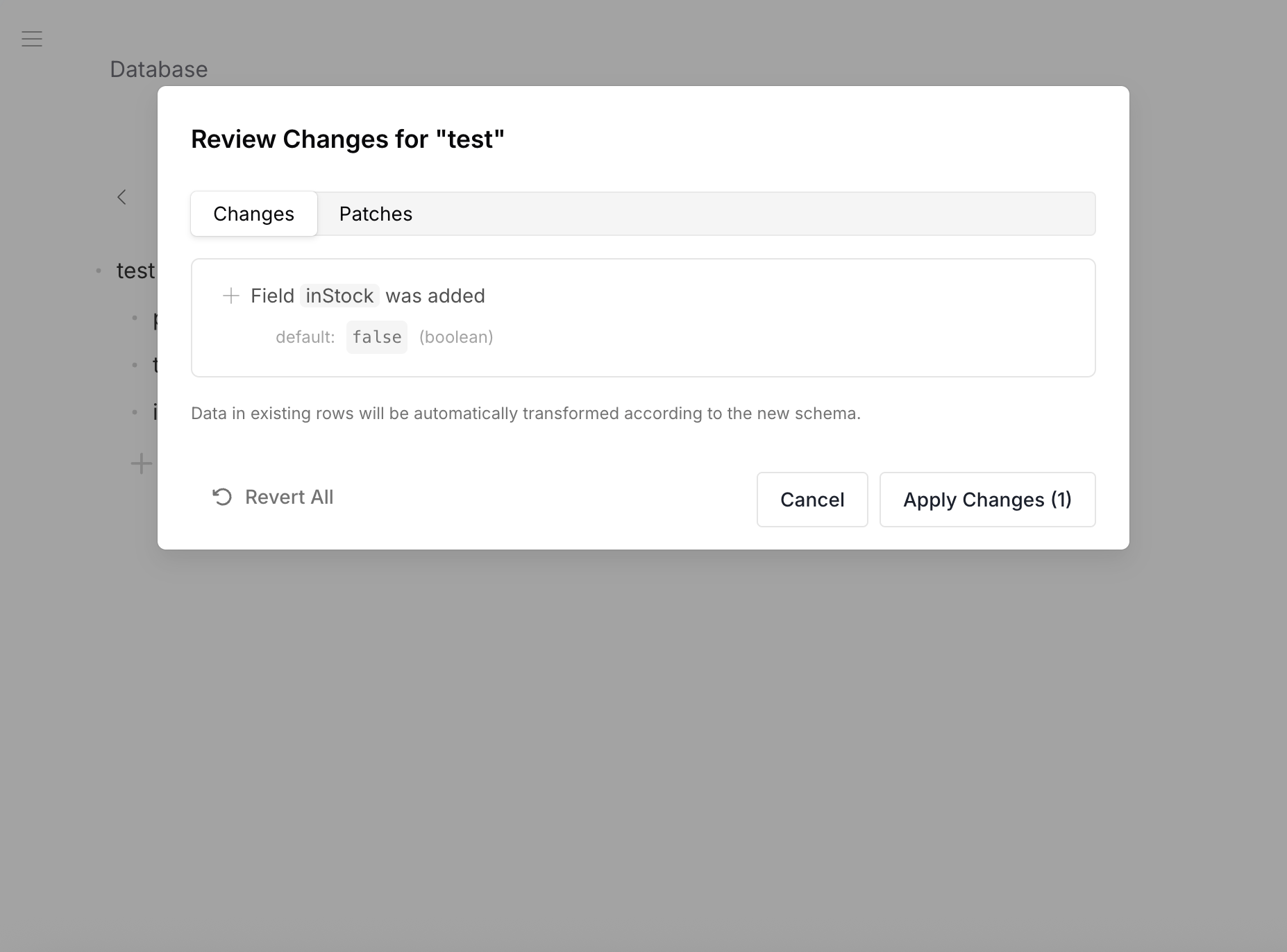
When you add a field to an existing table, all rows get the field's default value automatically.
- Data Before
- Data After
- Patch
{
  "title": "iPhone 16 Pro",
  "price": 999
}
{
  "title": "iPhone 16 Pro",
  "price": 999,
  "inStock": false
}
New field inStock added with default false — all existing rows updated.
[
  { "op": "add", "path": "/properties/inStock", "value": { "type": "boolean", "default": false } }
]
The required array is updated automatically.
Remove Field
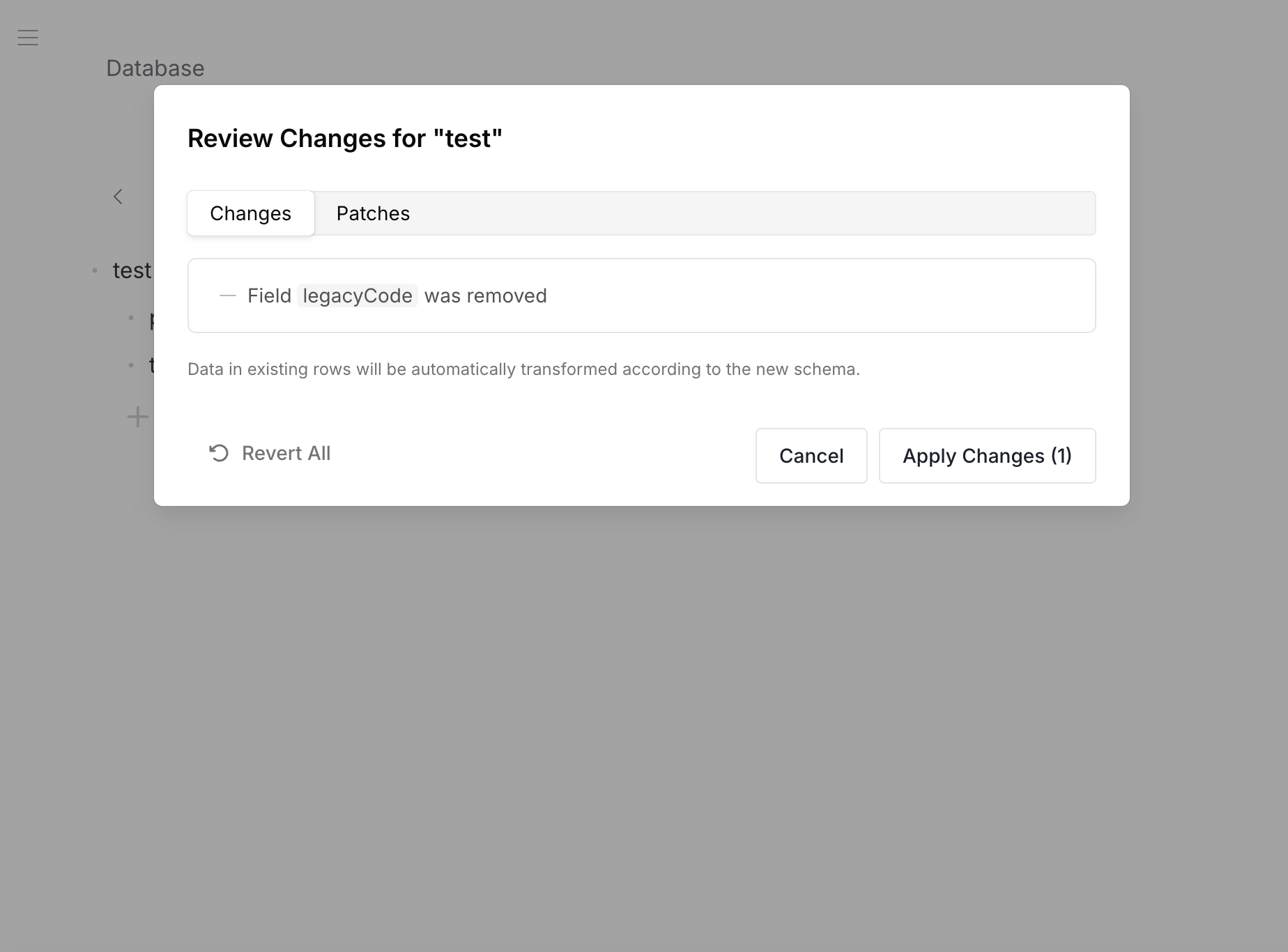
When you remove a field, the data is cleaned from all existing rows.
- Data Before
- Data After
- Patch
{
  "title": "iPhone 16 Pro",
  "price": 999,
  "legacyCode": "PROD-001"
}
{
  "title": "iPhone 16 Pro",
  "price": 999
}
Field legacyCode removed — data cleaned from all rows.
[
  { "op": "remove", "path": "/properties/legacyCode" }
]
The field is also removed from the required array automatically.
Change Type
When you change a field's type, existing data is converted automatically.
- Data Before
- Data After
- Patch
{
  "title": "iPhone 16 Pro",
  "price": "999"
}
price is a string.
{
  "title": "iPhone 16 Pro",
  "price": 999
}
price converted from string to number — "999" → 999.
[
  { "op": "replace", "path": "/properties/price", "value": { "type": "number", "default": 0 } }
]
Conversion Rules
| From → To | Conversion |
|---|---|
| String → Number | Parsed as number, 0 if invalid |
| String → Boolean | "true" → true, everything else → false |
| Number → String | Number as string (42 → "42") |
| Number → Boolean | 0 → false, non-zero → true |
| Boolean → String | true → "true", false → "false" |
| Boolean → Number | true → 1, false → 0 |
Move Field
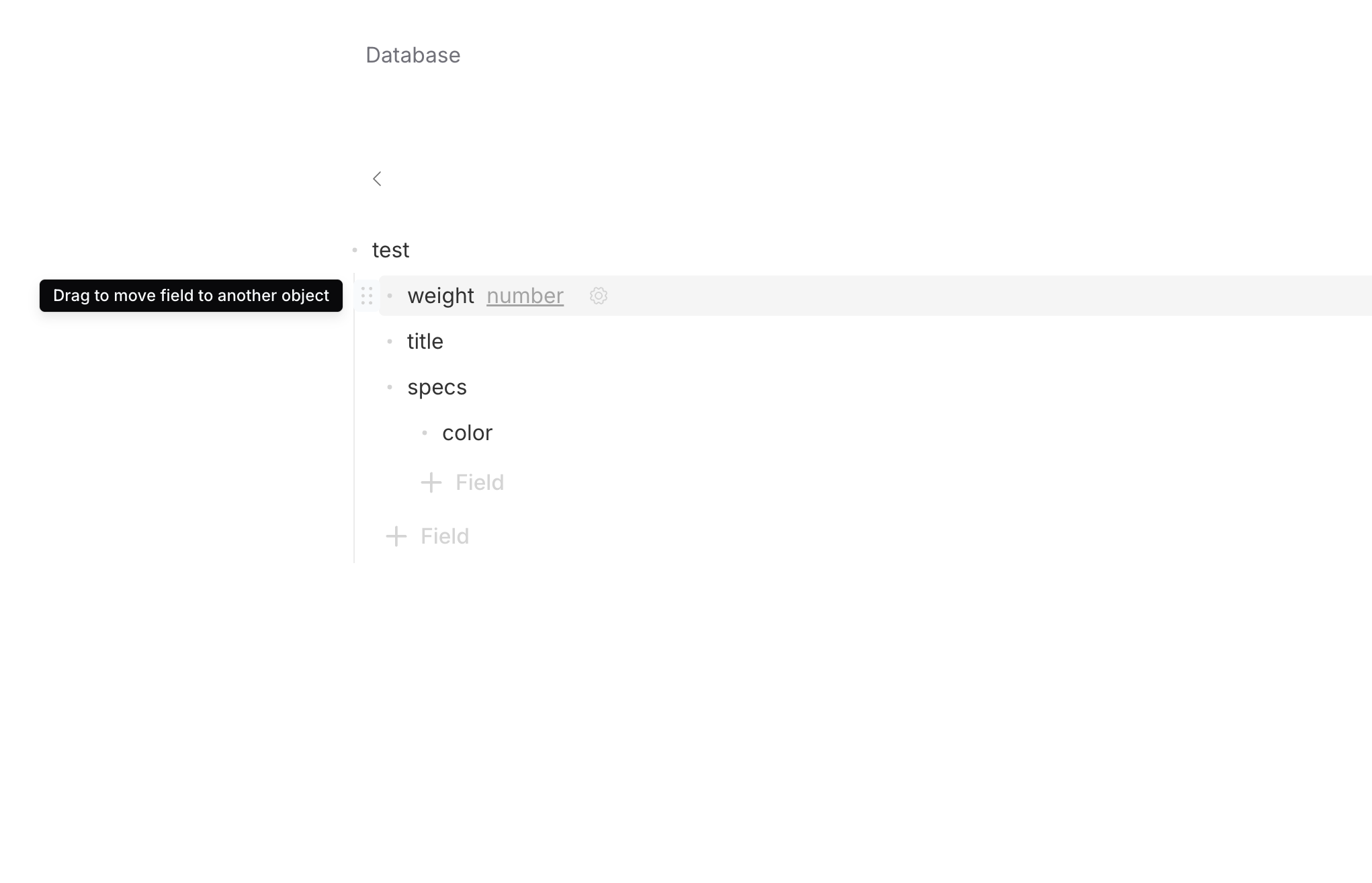
Move a field from one location to another — between root and nested objects, or between different nesting levels. Data moves with the field. In Admin UI, drag the field to another object.
- Data Before
- Data After
- Patch
{
  "title": "iPhone 16 Pro",
  "weight": 199,
  "specs": {
    "color": "Desert Titanium"
  }
}
{
  "title": "iPhone 16 Pro",
  "specs": {
    "color": "Desert Titanium",
    "weight": 199
  }
}
weight moved from root into specs — data relocated automatically.
[
  { "op": "move", "from": "/properties/weight", "path": "/properties/specs/properties/weight" }
]
Wrap / Unwrap Array
Convert between a primitive field and an array.
- Wrap (string → array)
- Unwrap (array → string)
Before: "tag": "electronics"
After: "tags": ["electronics"]
The old value becomes the first element of the new array.
Before: "tags": ["electronics", "phones"]
After: "tag": "electronics"
Only the first element is kept — remaining elements are lost. Review changes before committing.
Rename Table
When you rename a table, all foreign key references in other schemas are updated automatically.
Rename: "categories" → "product-categories"

products schema:  "foreignKey": "categories"  →  "foreignKey": "product-categories"
orders schema:    "foreignKey": "categories"  →  "foreignKey": "product-categories"
Rename Row
When you rename a row ID, all foreign key values pointing to that row are updated automatically.
Rename row in categories: "electronics" → "electronics-devices"

products/iphone-16:  category: "electronics"  →  category: "electronics-devices"
products/macbook-m4: category: "electronics"  →  category: "electronics-devices"
Review Changes
When you edit a schema in the Admin UI, the platform generates patches describing what changed. Before applying, a review dialog shows:
- Fields added (with type and default)
- Fields removed
- Type changes
- Fields moved
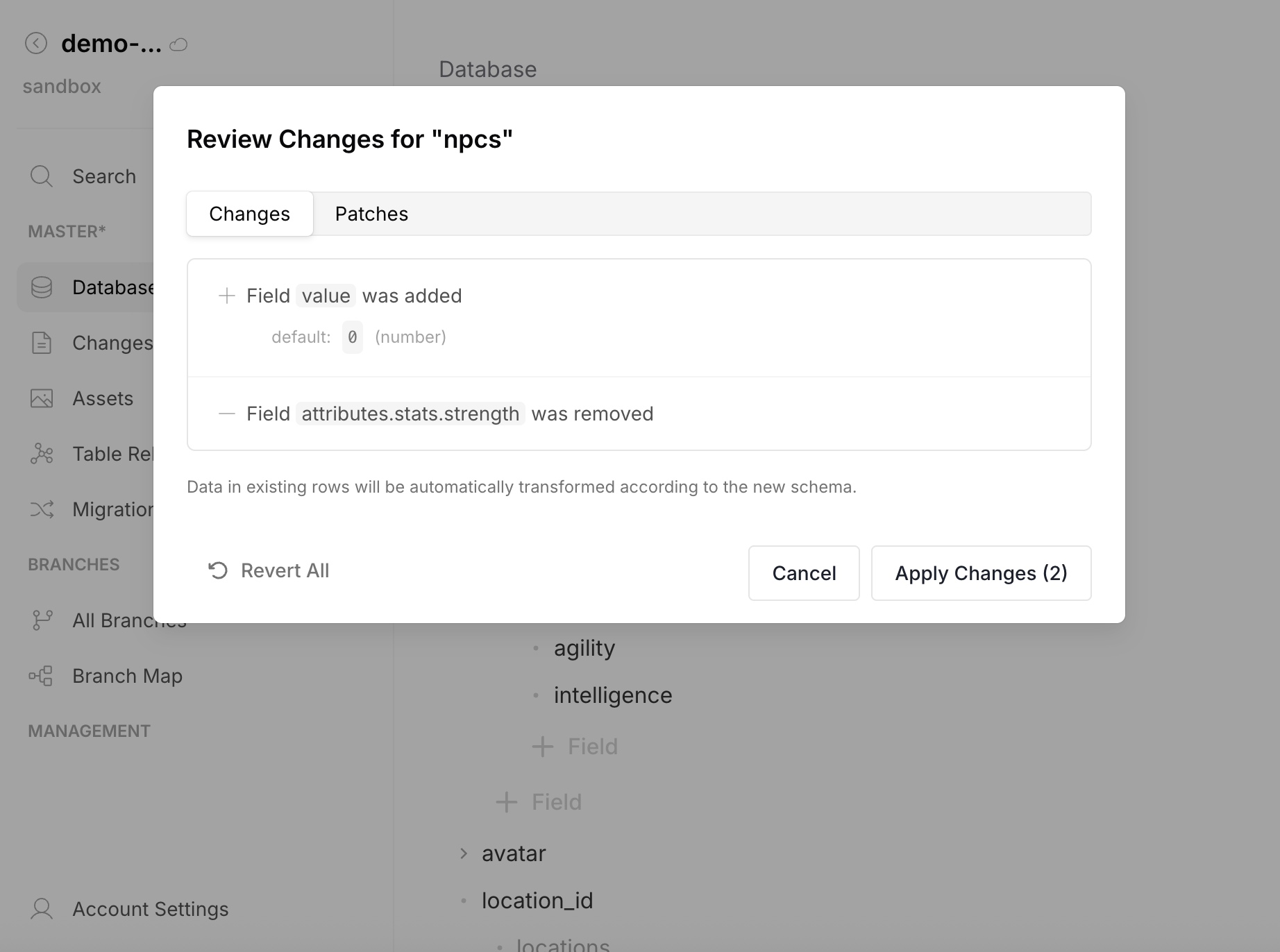
You can review, revert individual changes, or apply all at once. After applying, the data transforms are visible in the Changes & Diff view before commit.
Nested Schema Changes
Schema evolution works at any nesting depth:
- Adding a field to a nested object → updates that object in all rows
- Changing an array item type → converts every element in every row
- Removing a nested field → cleaned from all rows at that path
- Moving a field between nesting levels → data relocated
Migrations
Schema evolution automatically produces migrations (init, update, rename, remove). Migrations can be exported and applied on other instances — useful when independent instances are used instead of a single instance with branches (e.g., dev → staging → production).