Foreign Keys
Foreign keys create relationships between tables with referential integrity. A foreign key field stores a rowId referencing a row in another table. The platform validates every write — you can't reference a row that doesn't exist.
Single FK (Many-to-One)
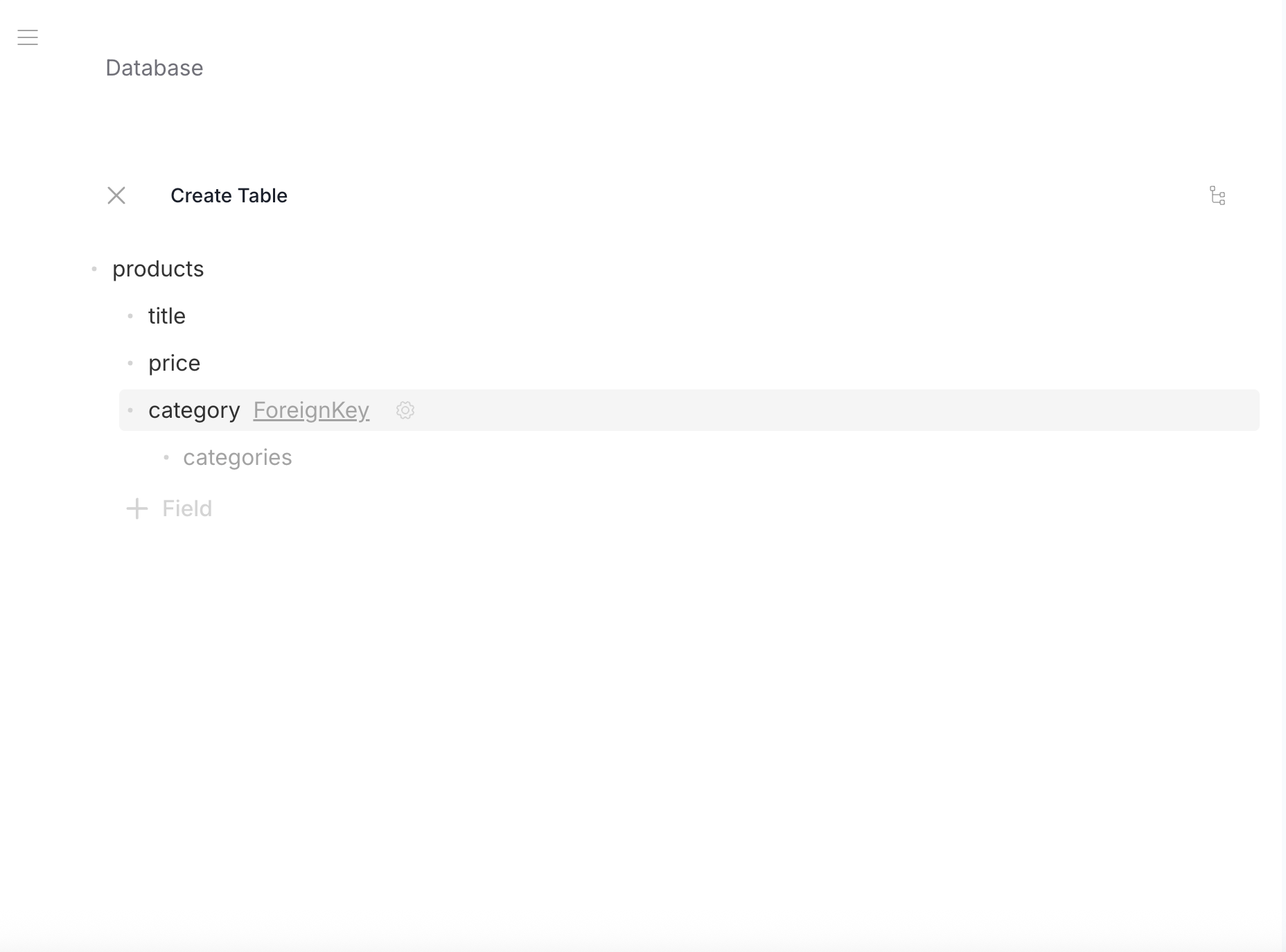
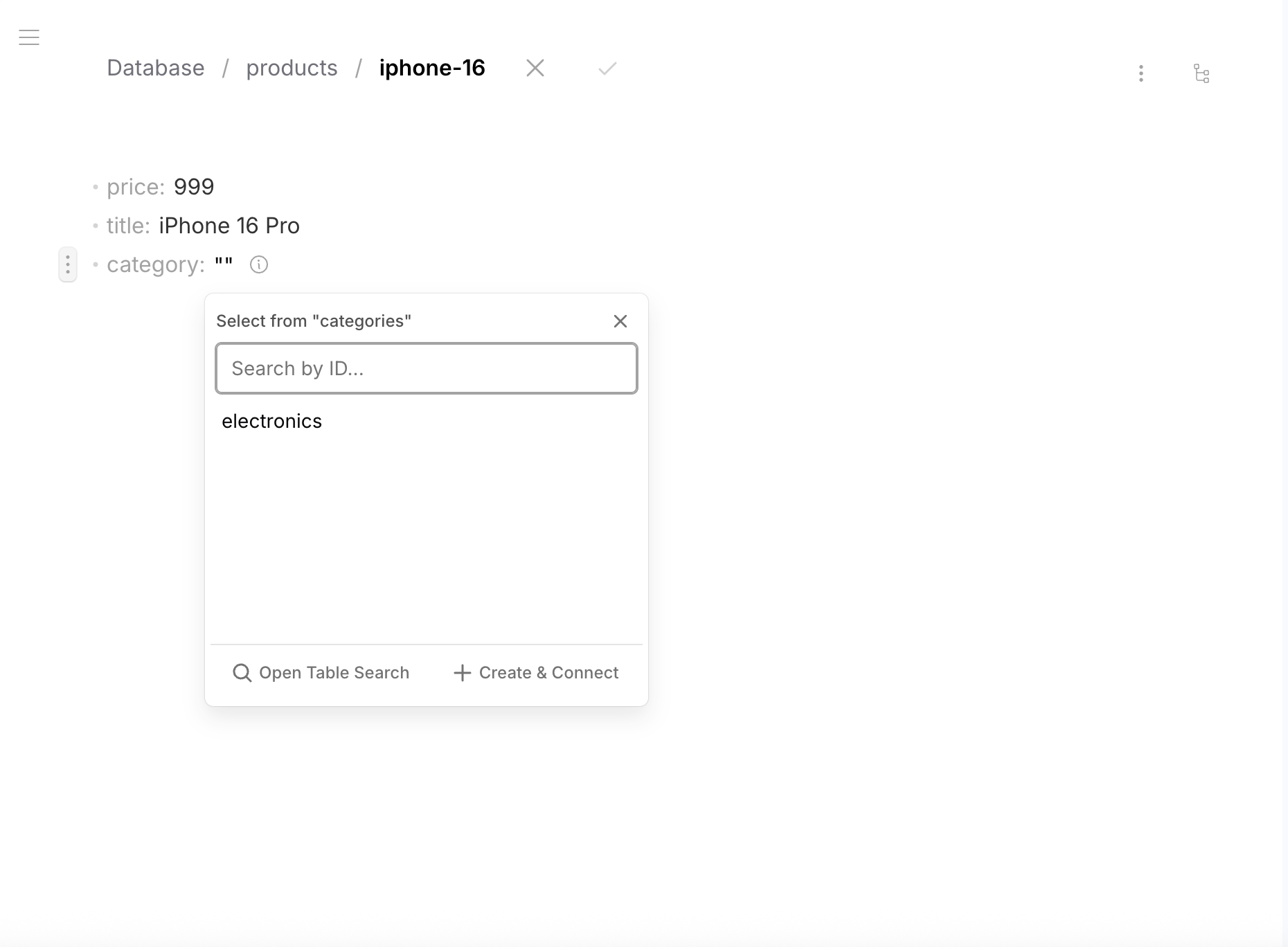
The most common pattern — a field references one row in another table. Example: each product belongs to one category.
- Data
- Schema
Table categories — row id: "electronics"
{ "name": "Electronics" }
Table products — row id: "iphone-16"
{
  "title": "iPhone 16 Pro",
  "price": 999,
  "category": "electronics"
}
category contains the rowId of a row in the categories table.
Table categories
{
  "type": "object",
  "properties": {
    "name": { "type": "string", "default": "" }
  },
  "required": ["name"],
  "additionalProperties": false
}
Table products
{
  "type": "object",
  "properties": {
    "title": { "type": "string", "default": "" },
    "price": { "type": "number", "default": 0 },
    "category": {
      "type": "string",
      "default": "",
      "foreignKey": "categories"
    }
  },
  "required": ["title", "price", "category"],
  "additionalProperties": false
}
FK Array (One-to-Many)
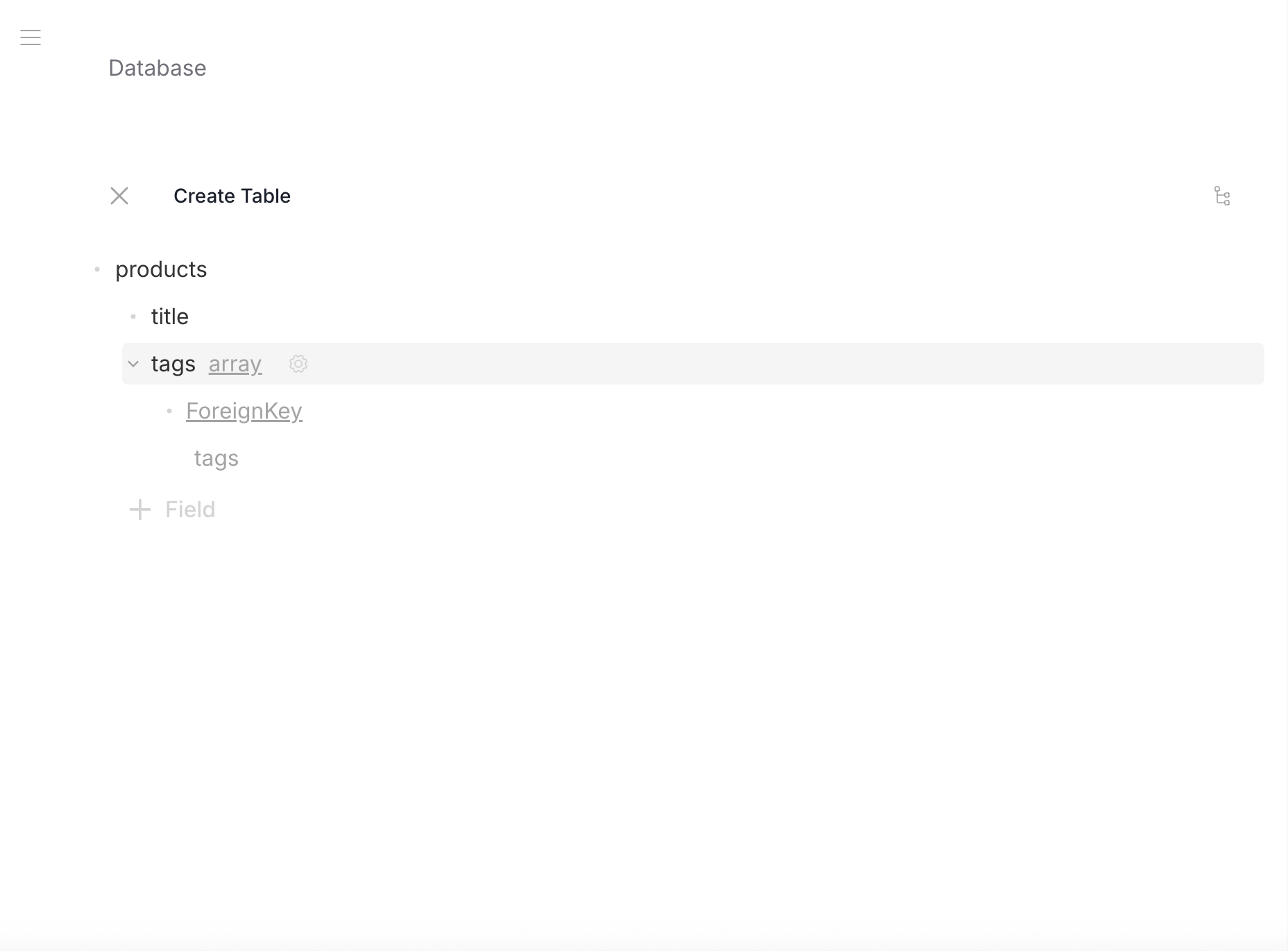
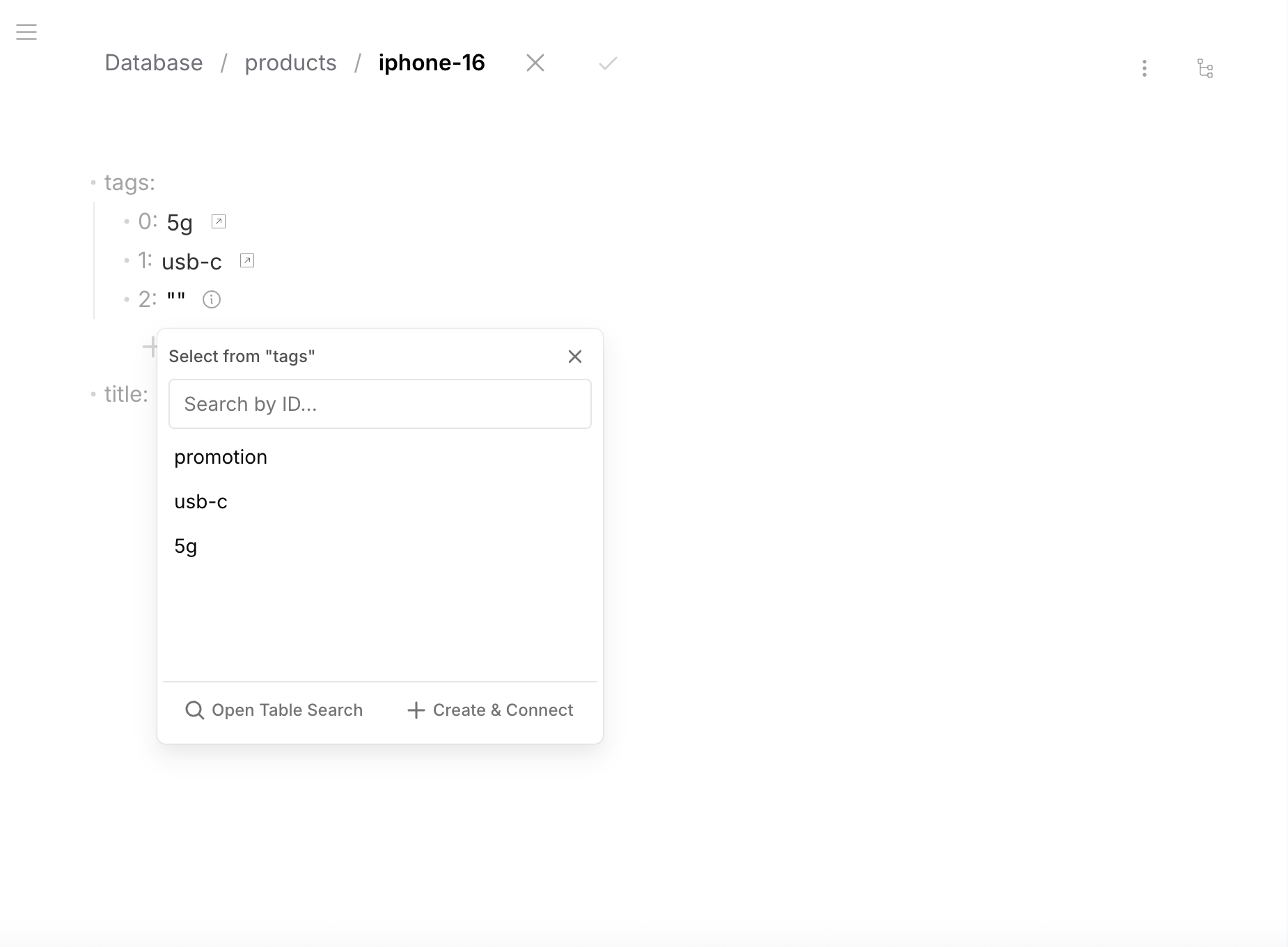
An array of FK strings — one row references multiple rows in another table. Example: a product has multiple tags.
- Data
- Schema
Table tags — rows: "5g", "usb-c", "promotion"
{ "name": "5G" }
Table products — row id: "iphone-16"
{
  "title": "iPhone 16 Pro",
  "tags": ["5g", "usb-c", "promotion"]
}
Table tags
{
  "type": "object",
  "properties": {
    "name": { "type": "string", "default": "" }
  },
  "required": ["name"],
  "additionalProperties": false
}
Table products
{
  "type": "object",
  "properties": {
    "title": { "type": "string", "default": "" },
    "tags": {
      "type": "array",
      "items": {
        "type": "string",
        "default": "",
        "foreignKey": "tags"
      }
    }
  },
  "required": ["title", "tags"],
  "additionalProperties": false
}
FK in Array of Objects
Foreign keys inside objects within an array. Example: an order has line items, each referencing a product.
- Data
- Schema
Table orders — row id: "ord-001"
{
  "customer": "Acme Corp",
  "items": [
    { "product": "iphone-16", "quantity": 10 },
    { "product": "macbook-m4", "quantity": 5 }
  ]
}
Each items[].product is a FK pointing to a row in the products table.
Table orders
{
  "type": "object",
  "properties": {
    "customer": { "type": "string", "default": "" },
    "items": {
      "type": "array",
      "items": {
        "type": "object",
        "properties": {
          "product": {
            "type": "string",
            "default": "",
            "foreignKey": "products"
          },
          "quantity": { "type": "number", "default": 0 }
        },
        "required": ["product", "quantity"]
      }
    }
  },
  "required": ["customer", "items"],
  "additionalProperties": false
}
FK in Nested Objects
Foreign keys inside nested objects (not arrays). Example: an article has metadata with author and reviewer references.
- Data
- Schema
Table articles — row id: "getting-started"
{
  "title": "Getting Started",
  "metadata": {
    "author": "john-doe",
    "reviewer": "jane-smith"
  }
}
metadata.author and metadata.reviewer both reference rows in the users table.
Table articles
{
  "type": "object",
  "properties": {
    "title": { "type": "string", "default": "" },
    "metadata": {
      "type": "object",
      "properties": {
        "author": {
          "type": "string",
          "default": "",
          "foreignKey": "users"
        },
        "reviewer": {
          "type": "string",
          "default": "",
          "foreignKey": "users"
        }
      },
      "required": ["author", "reviewer"]
    }
  },
  "required": ["title", "metadata"],
  "additionalProperties": false
}
Self-Relations
Self-referencing foreign keys (a table referencing itself) are currently in development. This will enable patterns like tree structures, parent-child hierarchies, and linked lists within a single table.
Limitations
Foreign keys are non-nullable — every FK field must reference a valid row. Nullable/optional foreign keys are planned.
When adding a new FK field to a table with existing data, the default empty string will fail validation. Use one of these patterns instead:
- New FK array — add a new array field; an empty array is valid (no references needed)
- New array of objects with FK — add a new array of objects where one field is a FK; empty array = no references
- Two-step migration — add the field as a regular string first, populate valid rowIds in existing rows, then change the field to a foreign key
Referential Integrity
Revisium enforces referential integrity on every write:
| Operation | Behavior |
|---|---|
| Create/update row | FK value must be a valid rowId in the target table |
| Delete referenced row | Blocked — cannot delete a row that other rows reference |
| Delete referenced table | Blocked — cannot delete a table that other tables reference via FK |
| Rename row | All FK values pointing to the old rowId are updated automatically |
| Rename table | All FK declarations ("foreignKey": "old-name") in other schemas are updated |
Cascade rename examples
Rename row in categories: electronics → electronics-devices
products/iphone-16:  category: "electronics"  →  category: "electronics-devices"
products/macbook-m4: category: "electronics"  →  category: "electronics-devices"
Rename table: categories → product-categories
products schema: "foreignKey": "categories" → "foreignKey": "product-categories"
API Resolution
When you create an API endpoint, FK fields are automatically resolved in GraphQL queries — no configuration needed:
query {
  products {
    edges {
      node {
        data {
          title
          category {
            name
          }
          tags {
            name
          }
        }
      }
    }
  }
}
FK auto-resolution is GraphQL only. REST endpoints return raw FK IDs (the rowId string). To resolve relationships via REST, make a separate request using the returned ID.
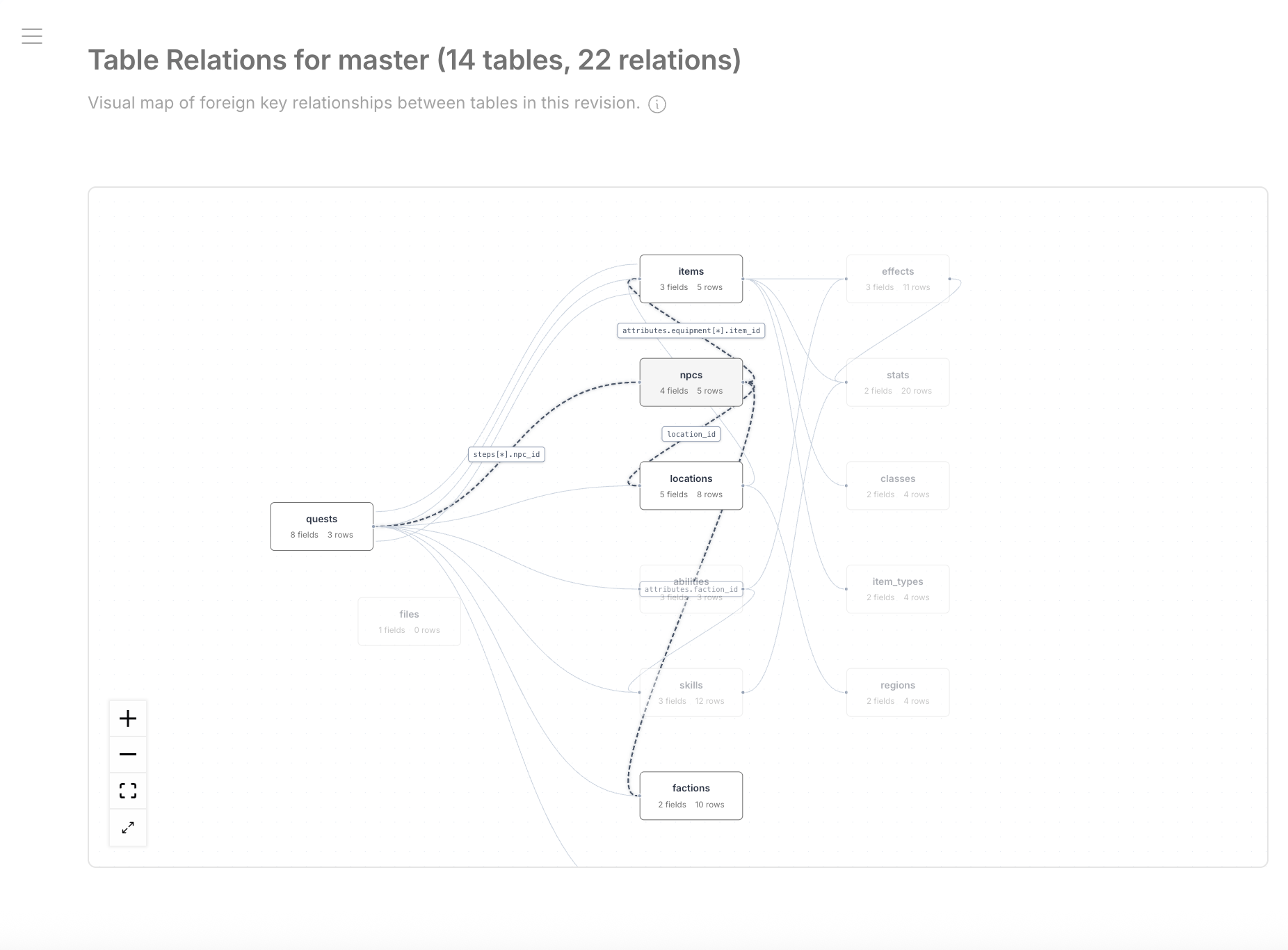
Table Relations
The Admin UI provides a visual map of all foreign key relationships between tables.